
The Dashboard Scan Widget provides a quick, visual overview of the Scan section, displaying a summary of the most recent scan results. It highlights the overall security score, along with the number of passed and failed checks, helping administrators quickly assess the current protection status of the website at a glance. This widget is useful for monitoring security, but it may not always be necessary for all users or workflows.
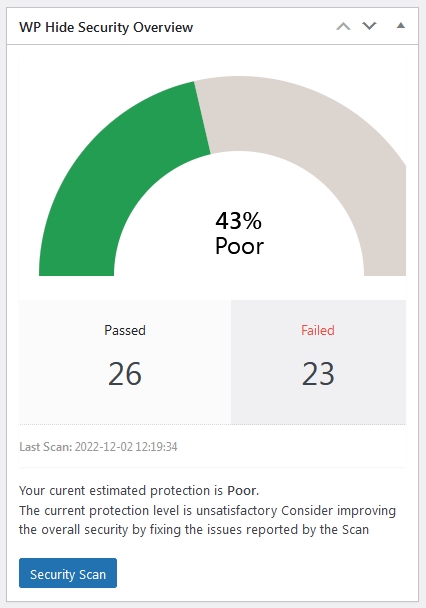
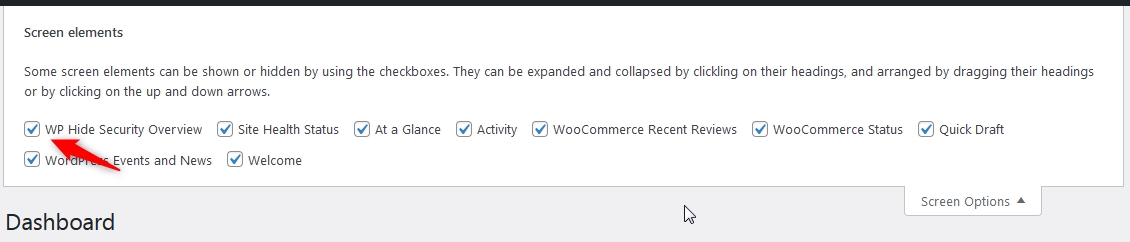
If you prefer a cleaner dashboard or want to hide this information temporarily, the widget can be easily disabled using the Screen Options panel. Simply uncheck the corresponding option, and the widget will no longer be visible on your dashboard.
For situations where the widget should be removed for all users, a global approach can be applied, compatible with both WP Hide Free and WP Hide PRO.
    add_action( 'init' , '__remove_wp__scan_widget' );
    function __remove_wp__scan_widget()
        {
            global $wph;

            if ( is_multisite() && is_network_admin() )
                remove_action( 'wp_network_dashboard_setup', array( $wph, 'wp_dashboard_setup' ) );
                else
                remove_action('wp_dashboard_setup',    array( $wph,    'wp_dashboard_setup' ), 999 );
        }
*The code should be placed within a custom file on /wp-content/mu-plugins/ folder or a custom plugin.


